User Experience Basics: A Guide for Better Engagement and Conversions
Author :
User experience (UX) refers to a feeling users have when they use your website or an app. User experience basics refer to the major concepts and principles of making a product, a website or an application simple, entertaining and convenient for people use.
Imagine that you go to a website and immediately become puzzled by how confusing the menus are. Or, if it takes too long to load pages and the interactive buttons are inactive. That would be frustrating right?
Well, this is exactly what UX is and why it matters That’s why user experience basics matter.
Do You Know?
According to Toptal, the making of a good UX design starts with studying and knowing your users first. About 88% of users do not return to a site that takes ages to load and has a bad user experience.
Forbes, one of the credible sources stated that even 1 dollar invested in UX design brings about 100 dollars with ROI equals to 9,900%.
In 2025, having an outstanding user experience website design is a need for all the big or small brands and businesses to grow. And growth is only possible if your users are happy with your services and how smooth your UX approach is.
This Guide Offers…
This guide has everything, starting from a basic UX theory to the best UX design examples available. The blog also leans into key UX fundamentals which can help you get better understanding of UX as well as UX design principles and best practices. You get to explore the UX tips, and UX design techniques and tools.
At the end you will be able to understand what are design principles and how to create digital products that are functional and appealing. Learning about user experience basics will help you develop website that users will explore, spend time, engage, convert and revert.
What is UX in Web Design?

By web UX design, we refer to more than just the appearance of a website. It is mainly about the functionality of the website, how it performs and feel. When the user experience web design is good, it assists users to locate what they are seeking for. Moreover, UX for website help users accomplish their tasks without irritation, spend a valuable time and take major actions.
There are some of the major components of UX design for websites. You can gauge if the site has a good UX but simply looking into its usability, accessibility, structure, loading speed and interactive features.
Some Question to Ask!
- Is it easy to navigate the site? Are all the menus, buttons and links clear and easy to use?
- Furthermore, look into the structure. Check if the content and then visuals are organized or is it making you feel overwhelmed or lost?
- Then comes webpage loading speed, for examples, are the pages easy and fast to load to please the users?
- Can disable or people with different disabilities can access the site easily?
- Using interactive design is all fun and catchy but do this work well? Are they functional?
To put it briefly, excellent UX makes the webpage intuitive and effortless to deliver a delightful and satisfactory experience. You don’t want one time users; you want them to revisit. Right?
Do you know what are the principles of design? And how many principles of design are there? Let’s dig into this!
Key User Experience Principles

The principles are made to keep things in line and intact. For any designers and developers, UX UI principles work as a guide which help them create better, useful and fun outcomes. If you are a beginner awaiting to add magic in your product designs then its best if you learn from current UX design principles examples. Here are some of the best principles of UX design and their use that you must keep in mind before you design.
Usability
It is one of the key UI UX design principles which means that users will be able to reach their objectives with the minimal effort. Do you know that if you follow the UX/UI best practices, you can easily enhance website efficiency. Better usability means clear menus, readable buttons, and easy navigation.
Focus
The UX design needs to be simple. Simplicity brings clarity, more focus which help you get centered designs. Do not go for too much because it will make your site look clutter. Avoid all the unnecessary and unwanted features that can slow your web. Working on having focused UX is one of the integral UX principles and best practices
Accessibility
According to the UX/UI principles, accessibility allows all people to access your content, including disabled users. Such characteristics as legible fonts, alternative description of images, and navigation that can be used with a keyboard show strong principles of user interface design.
Consistency
It is important to have consistency in the design elements of your website. Be it UI design principles or UX, make sure, everything is in sync and align to each other. The color, fonts, and the interactive features, all of them must be in consistent with the brand identity. You know why this is important? Because consistency is not good for better user experience but it also builds faith and make your brand credible. You can easily predict and learn user behavior, leading to more confidence and satisfaction.
Feedback and Responsiveness
Giving proper feedback is an important user experience basics. It means whenever the user does a specific action, you send them an automated confirmation message. Or, sites to response by adding responsive features to guide customers whenever they make any error. Feedbacks and reviews help you make better changes which will help you generate outcomes that provide better user experience.
Elements of a Good User Experience
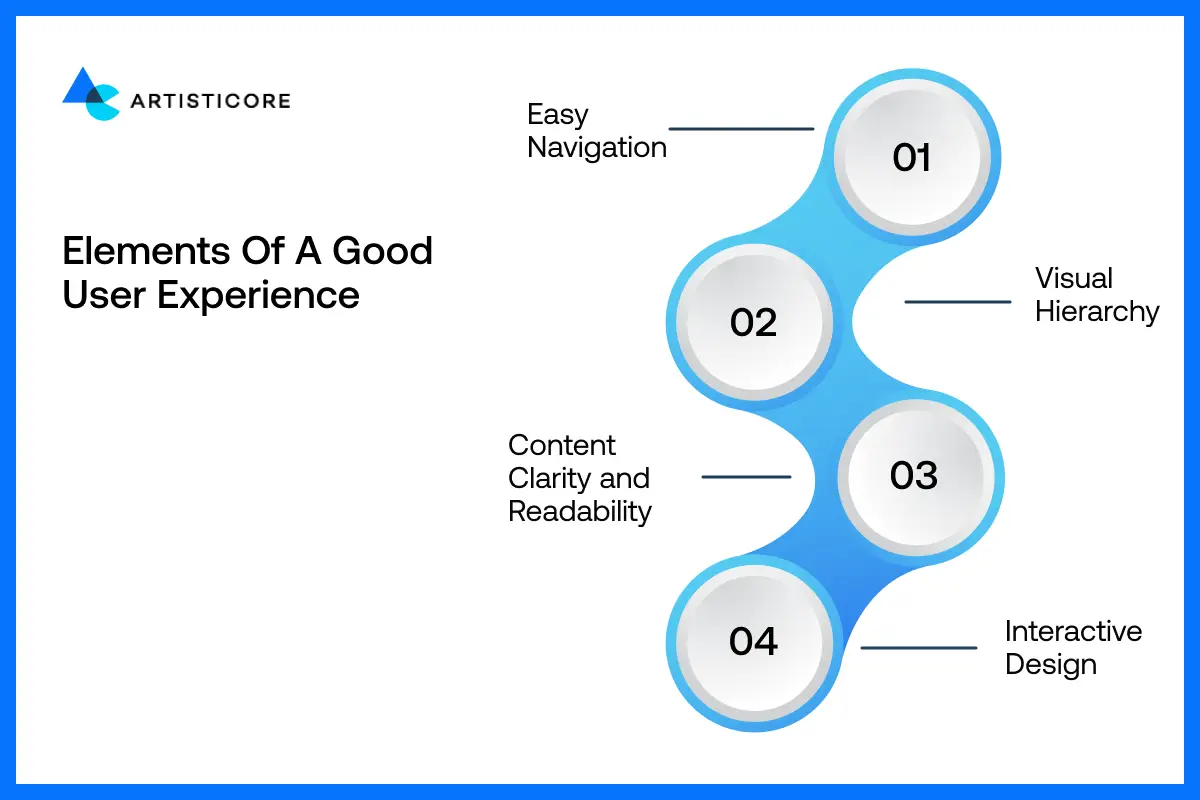
Easy Navigation
This is everything to do with how easily users can navigate your site or your application. Good navigation helps users to find what they want without being lost. Information architecture structures your content in a rational way such as organizing a closet in a manner that all things have their appropriate place. When your navigation fails, the user experience design solutions you used fail too instantly.
Visual Hierarchy
That is how you organize and style things that the eye can know what to perceive at first. As an example, large bold fonts will capture eyeballs as compared to small fonts. The focus of the user is directed by colors, spacing and size. Good visual hierarchy enables the users to know the importance of a particular thing by just peeking at it.
Content Clarity and Readability
When you add content on your websites or an app, you goal is to educate instead of complicate things. If your users are finding it too difficult to understand, you are not using the clear content.
Readability is not only about using easy sentences but also about using clear fonts. Fonts, bullet points, simple and easy words, better formatting, all these can get your site more clarity which leads to better outcomes. Good UX implies that users will not have any difficulty in reading anything.
Interactive Design
In UX basics, interactive design deals with the way user interacts with your product – taps, clicks, swipes, buttons, forms, hover states, animations, and feedback messages. It gives the experience a feel of life. When properly executed, all of the actions become smooth, predictable, and instinctive.
Learning More About Your Users

Let’s discuss the 3 major things to do to understand better about your target audience. Also, why is it important in delivering a good user experience.
Importance of User Research
It is not possible to create something great without knowing who you are creating it. User research allows you to understand what people want, how they act, what frustrates them and what they expect. It avoids false assumptions.
User Personas
Personas are fictional characters of your dream users. They consist of such details as goals, behaviors, preferences and challenges. Personas ensure that you are not designing to suit everybody, but to particular needs.
User Journeys and Pain Points
A user journey is a mapping on the step-by-step process that the users go through. Pain points reveal the areas such as slow loading, having too many steps, not knowing what to do, etc. Addressing these pain points enhances the overall UX and increases conversions.
Major Steps to UX Design Process

In the design process, it is important to keep the user experience basics in mind to deliver a successful website or app. There are website UX best practices that help designers create products that attractive, convenient, quick and fun to use.
By adopting UX design process best practices, your site will become more convenient to use, and engage the users. Do you know that having example Moz usability report can help identify the technical errors related to usability? By suing such reports, you can make design changes to experience better user behavior, user conversion rate and user retention.
Study the UX Design Methodologies
The UX process begins with research. By reading surveys, using interviews, data, and studying competitors, designers get to know what users want. Moreover, they also get to know about how users interact and deal with.
As mentioned, there is Moz report which mention typical issues regarding usability. For example, vague calls to action or confusing navigation.
In research stage, designers can address the real needs of the users. Understanding user website use can help in choosing the better content layout, navigation and accessibility.
Define Goals and Objectives
The next step is to use that research data to define user personas, problem statements, and goals.
For examples, if there are an online shop and a customer with a personality of Sarah, a 32 year old who wants to find products without complications. Then designers and developers can work on such goals to generate an intuitive layout, uniform design, and uncomplicated interactive features.
All these features enhance usability as the user needs are what designers and developers are aiming to fulfil.
Ideate With Innovation
During ideation, designers generate ideas, create layouts and wireframes. In case of a travel booking app, designers will experiment with swipe gestures, filters and interactive maps.
After considering numerous solutions under user experience basics, they can easily experiment and select the final design. This phase will promote creativity and loyalty to the UX/UI guidelines ensuring that the product suits expectations and impresses visitors.
Design Wireframes and Test Prototypes
Ideas become touchable with the help of wireframes and prototypes. Wireframes help you with the placement of the content and layout on the website. Prototypes allow users to test the interface.
For example, a prototype of a streaming app could improve the ease of searching and watching videos. Interactive components are easy to understand and tappable. This is all because of a good user experience basics in actions which help designers take prompt decision that help enhance navigation, visual order, and usability prior to construction.
Test on Actual Devices
You are done with the experimentation and development, now it’s time to test. There are so many testings available that help identify the issues and polish the final product.
Users test prototypes to identify usability problems, e.g. confusing menu or out of line buttons. According to the Moz report, testing helps increase the engagement and reduce the bounce rates.
UX methods help designers observe behavior, acquire feedback and make intelligent adjustments.
The application of user experience tips on testing will help the design to work well, be easily understandable and operate on any device.
Continuous Improvement
There are no such things as a full stop when it comes to web design and development. User experience basics, principles, tools and practices will keep on evolving and you need to stand by them. Evolve as the world evolve.
Once the product is launched, keep track on the performance. Also take feedback to enhance the product experience.
For example, an e-commerce app or store may alter the checkout route through analytics or add product suggestions upon tracking user habits. Thid is what iteration is, a testing of UX design to generate user-friendly, flexible and constantly improved designs. In this manner, users enjoy smooth, interactive and productive experiences all the time.
Common UX Design Mistakes to Avoid
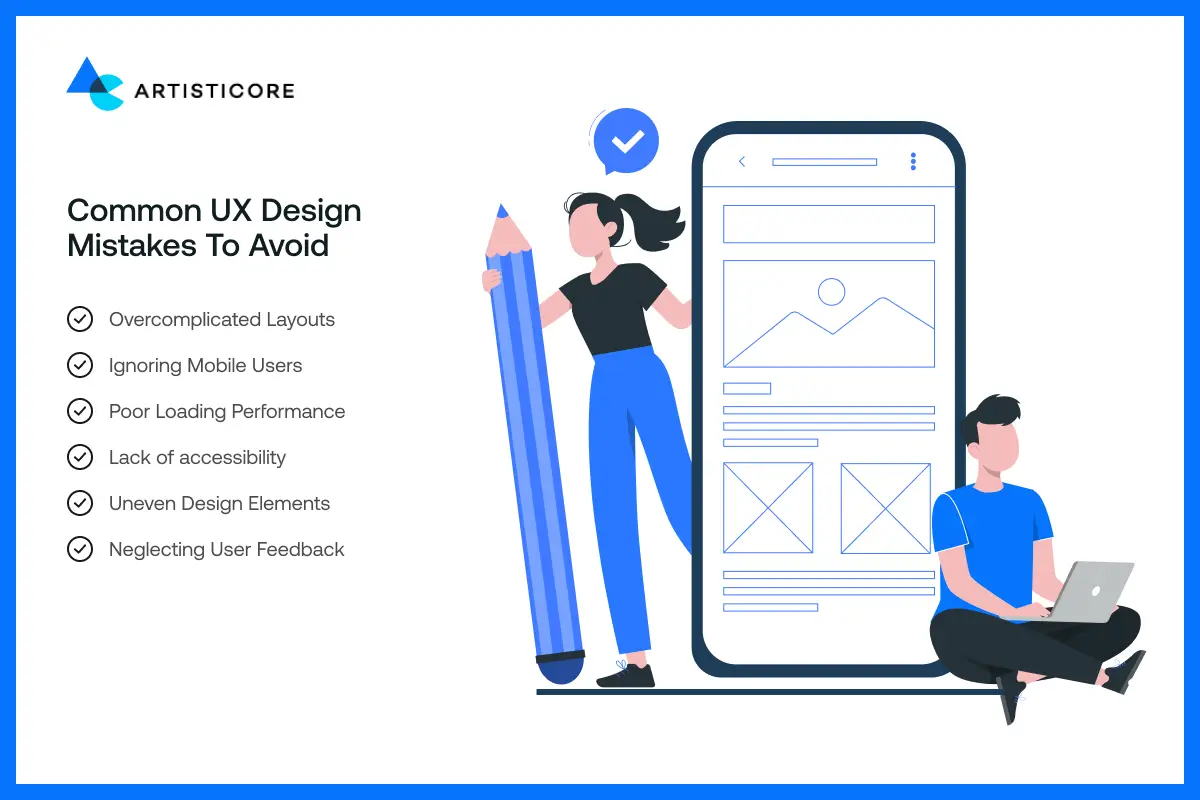
Even skilled designers can make mistakes which can destroy a webpage or an app. This is exactly why it is important to know about the user experience basics because they help you avoid issues that can irritate the users and affect user engagement.
The most typical UX errors and how to avoid them are as follows:
Overcomplicated Layouts
Why do you have to go with the messy layout that can disorient your web or an app look when you can go with the clean one? Having too much, too cluttered is never the best choice. Go easy and minimal. Do not add too many pop-ups, CTAs, extra confusing texts that can send users away, do not complicate.
Keep it simple and straightforward on the design guidelines so that they can navigate easily.
Ignoring Mobile Users
According to a study by Exploding Topics, 64.35% of the web traffic comes from mobile devices? That’s ow important mobile responsive designs are in 2025.
Users get easily annoyed when a site is not responsive, or the tap targets are not in the right places. Think of site where the checkout button is small on a phone; you will less likely to shop from there right? This why many shoppers often leave the cart as well.
Poor Loading Performance
Slow sites push users away. Research indicates that 39% of visitors abandon the site because a page takes an excessively long time to open. Good design implies that you need to reduce the size of images, reduce scripts, and enable caching to increase the speed of your pages.
Lack of Accessibility
It is very important for a site or an application to be inclusive and accessible. You do know your audience but you don’t know about their disabilities. And by overlooking, you lose the size of your audience.
In many websites, due to lack of contrast, alt text and absence of keyboard navigation, people with disabilities leave a site. They do not deal as it is not friendly to them. In user experience basics, we do cover all the accessibility principles to make sure that everyone can use websites or app easily.
Uneven Design Elements
Users lose their faith and become disoriented when the fonts, colors, or styles of buttons vary between pages. As an example, when a sign-up button is presented in various colors on various pages, individuals will get annoyed. Stability gives the users the sense of familiarity and the sense of confidence.
Neglecting User Feedback & Research
Not taking user research or ignoring feedback is usually the cause of poor design decisions. Consecutive testing and minor modifications can assist in identifying the issues, enhancing the working process, and overall experience.
Useless Visual Hierarchy
Complex menus, unclear labels or simply a complicated navigation makes locating information difficult. A site having too many nested menus will make users get lost. The UX requires a good visual hierarchy and simple navigation which the eye will follow naturally.
Content & Typography Issues
Do not add too much content or visuals if they not align to your goal and objects. Choose fonts that are easy to comprehend or a layout that stick users on your site.
When choosing any of these, keep users in mind and do the testing. Bad layout, too much information, or difficult fonts is not the way to succeed in 2025. Audience wants clear, clean and easy interfaces.
Tools for UX Beginners
It is easier to jump into UX with good tools. It does not require costly software or advanced capabilities. Only a few trusted platforms will suffice, these will assist you with designing, testing and viewing what real users desire.
Wireframe and Prototype Tools
As a designer, if you want to work on layout or desire to generate creative as well as interactive prototypes, go by the following tools. Figma which is particularly well-liked among the beginners. It is free to use, browser-based, and allows individuals to collaborate in real-time.
Then comes Sketch which is popular among Mac users whereas, adobe XD is suited to prototyping and clicking around.
In case you just need something easier, Balsamiq can be used to create wireframes quickly, and Marvel provides a drag and drop experience in prototyping that can be painlessly easy.
UX Research Tools
These help you better understand the way user interact and behave. Survey tools such as Google Forms and Typeform allow you to gather survey data in a short period of time.
Then comes, UserTesting and Lookback which allow you to look at people using your designs.
Moreover, there is Hotjar which helps you get heatmaps and screen recordings of users who have clicked, scrolled, or engaged with your design. One more tool is Dovetail which organize insights by storing research notes and analyzing them.
Analytics and Behavior Tools
These tools help you understand of what is and is not working on your site. This way, you can easily make changes to make your site work and look better. In this type, Google Analytics is a tool which monitors visitors and conversions.
There is also Microsoft Clarity that provide a free heatmap and session records that help to identify problems in the UX.
Moreover, Mixpanel, Crazy Egg and Amplitude enable you to study user paths, identify hot spots and how individuals navigate your site after a few hours.
Turn your site into a hassle-free experience for users, optimize your UX design with Artisticore!
Real Life Applications of Good UX

Good UX is not a myth; it everywhere around us, in the applications we use and the objects we touch. Let’s discuss the few real life intelligent UX design examples and how they address real problems and eliminate unnecessary complexity to make people desire to go back.
Spotify – Customized User Interface
Wrapped feature of Spotify takes the annual listening data and transforms it into a colorful and shareable narrative. It leaves users eager to share their results and it brings them back. It proves that UX needs to be entertaining and helpful.
Airbnb – Simple and Reasonable Reservation
Airbnb has a minimal design, convenient filters, transparent prices, and a readable calendar. They have smart UX design which makes locating a place becomes a stress-free experience. It also shows how removing any friction in navigation can enhance user confidence.
Google Maps – Find Your Way Easily
Google Maps provides the directions conforming to the local landmarks such as, turn left at the chai stall. It also provides offline maps to areas with poor internet connectivity. These user experience basics make the app easy and likable.
Duolingo – Gamification Done Right
Duolingo has points, streaks, levels, and leaderboards. It makes learning languages a game that entertain and stick users. The UX design in it provides feedbacks which motivates and retain users.
Apple – Simple Product Comparison
The site of Apple allows customers to compare products easily with simple layouts and similar images and simple language. It does not overwhelm users, but rather leads them to make decisions with confidence. All these are an important user experience basics.
Netflix – Reducing Friction
Netflix UX design has features such as Skip Intro or custom suggestions that streamline the process of watching. Minor gestures save time and efforts, allowing users to spend more time on the screen.
Conclusion
Working on the betterment of anything is never a one time job. You need to keep on evolving as you step into new tools, practices and technologies. It is the same with working on enhancing user experience.
Just like you take care of your favorite motorbike, wash it, fuel it and take it to a mechanic so stay well and updated, working on user experience basics is the same. You need to update your website or app UX design with the growing competition and trends.
In this blog, we discussed all the user experience basics, principles, tools and common errors so you that can help you transform your site into an amazing experience.
Trends evolve and technology evolves therefore your product must evolve with it all.
Consider UX your superpower. Once the experience becomes painless, user will stay longer, browse more, and believe in your brand.
Transform Your UX Today!
Having trouble making UX design easy and user-friendly? Contact Artisticore to deliver experiences that your customers will adore.
The UX refers to what a person experiences by using your site or application. It puts emphasis on convenience, simplicity, and the smoothness with which users accomplish tasks.
A great UX will make people locate what they require faster, prolong their stay, and develop greater faith in your brand. It also increases conversion and minimizes frustration.
The UX is the overall experience whereas the UI is the visual appearance of the site or an app.
There are few for example easy and clear navigation then quick loading of pages to save time and keep users spend more time. Use of interactive elements to engage, easy access as well as clear and concise text and layout for better readability.
If you are someone looking to uplift your design and provide a better user experience either for better engagement or conversion then do these. First, streamline your UX design as well as optimize it. Optimize all the design elements be it text or visuals and do modifications after testing your site every now and then to make it better day by day.

Hafsa Hanif is a talented content writer at WebnHubs, specializing in topics such as graphic design, web design and development, logo design, and animation. With her deep understanding of design principles and creative processes, Hafsa crafts engaging, informative, and SEO-optimized content that resonates with readers. Her expertise in SEO ensures that her articles not only captivate audiences but also rank well on search engines, helping businesses boost their online presence through compelling design-focused narratives.
