Website Loading Speed in 2025: Faster Loading Tips
Author :
- About This Guide
- What Does Website Loading Time Mean?
- Google Recommended Page Load Time
- Effect on User Experience and Conversions
- SEO and Web Site Loading Speed in 2025
- Important Metrics to Check Website Load Time
- Website Speed Testing and Monitoring Tools
- Which Tool to Choose?
- Image And Media Optimization to Maximize Speed
- Minimization Of Code and HTTP Requests
- Hosting Solutions and Content Delivery Networks (CDN)
- Browser Caching and Server Response Enhancement
- Minimize Redirects and 3rd-Party Scripts
- Continuous Optimization, Reporting and Monitoring
- Impact of Website Load Speed on Business
- Conclusion
It is not surprising to know that people often end up leaving a website because of its slow loading speed. It does frustrate a lot because imaging you take your time to shop or browse after a long day and website page load speed try to trick you.
In 2025, it is important for developers to test the speed of a website before launching it. You as a brand or a business must test speed website load time. A good website design is the one that a functional website layout, a good UI UX design, and also SEO friendly. All these website features help you gain trust, organic traffic and customer revisits.
According to a 2025 study regarding website speed statistics, posted in a blog by BrowerStack, 40% of users leave website out of frustration if it takes more than 3 seconds to load.
About This Guide
In this guide, we will study all about page speed loading time for example what is the normal speed of a website? and how fast should a website load? Furthermore, we will also delve into how to improve page load time.
It is important to study the google page loading speeding because this is what will help you brand remain credible and SERP. Let’s also discuss about the common errors, and some easy measures you can take to keep your visitors are happy enough to revisit again.
What Does Website Loading Time Mean?
Website loading speed test determine the amount of time a webpage takes to load completely in your web browser. This covers all the content on the page such as text, images, videos and buttons.
There are cases where individuals confuse page speed and site speed. Page speed load test will determine about one page whereas the site speed load test will check the average load time of your entire site.
Quick websites satisfy the visitors and enhance user interaction, whereas sluggish websites frustrate and lead to high bouncing rates. File size, coding, quality of server, plugins and images are some of the things that influence your performance in the website.
You need to check site loading speed not only because of the norm but with the mindset of improving it as well.
Google Recommended Page Load Time
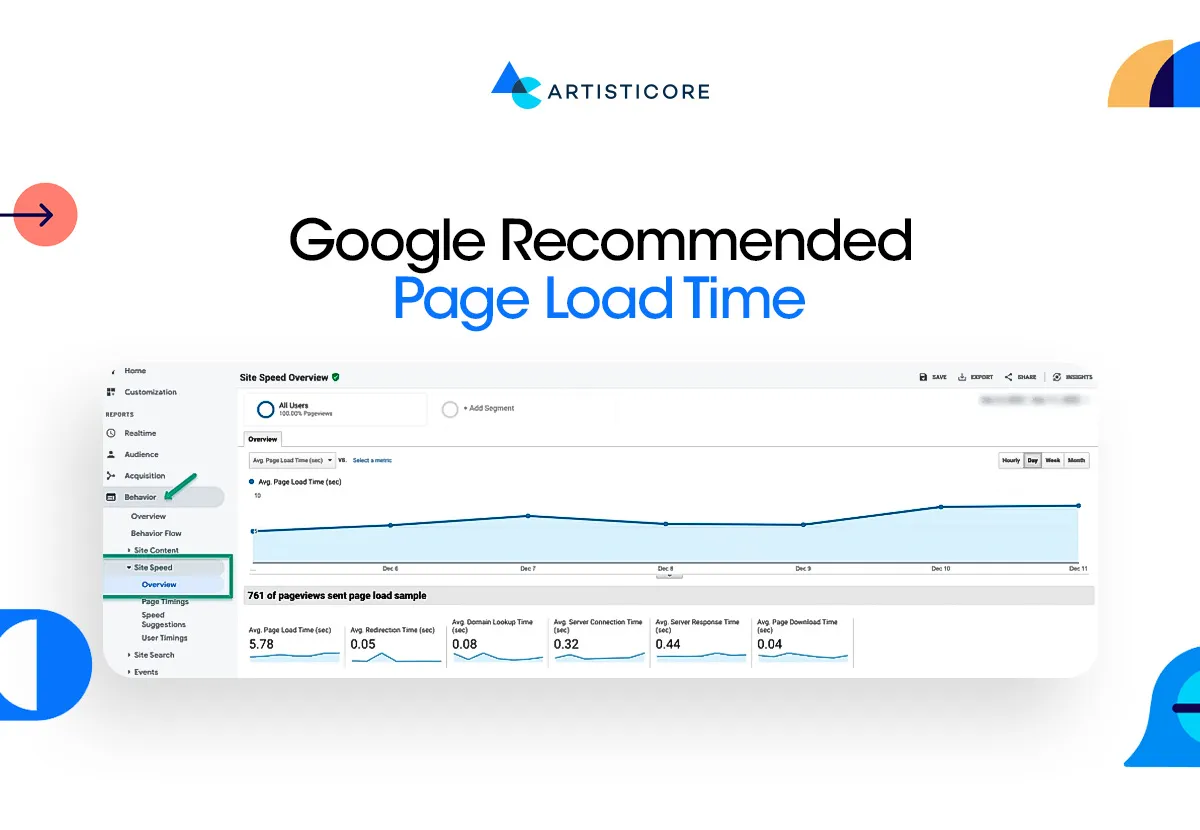
In this era, brands can only compete and win if they ask themselves this one question: how to make my website load faster? Without website load speed monitoring, you can’t SERP, make an impact or get sales.
According to the current website load time statistics, your webpage speed loading test should only take about 2.5 seconds on desktops. If you are browsing through mobile phones, it should take about 8.6 seconds. According to Think with Google, your website will rank higher if it loads within the first 0.5 seconds.
The average for retail sites (6 seconds), technology sites (6.8 seconds), and travel sites (6.7 seconds). Websites that take longer than normal to load may damage your bounce rate and conversion.
If you still wondering what is a good page load time, then remember the motto, the faster the better.
Effect on User Experience and Conversions
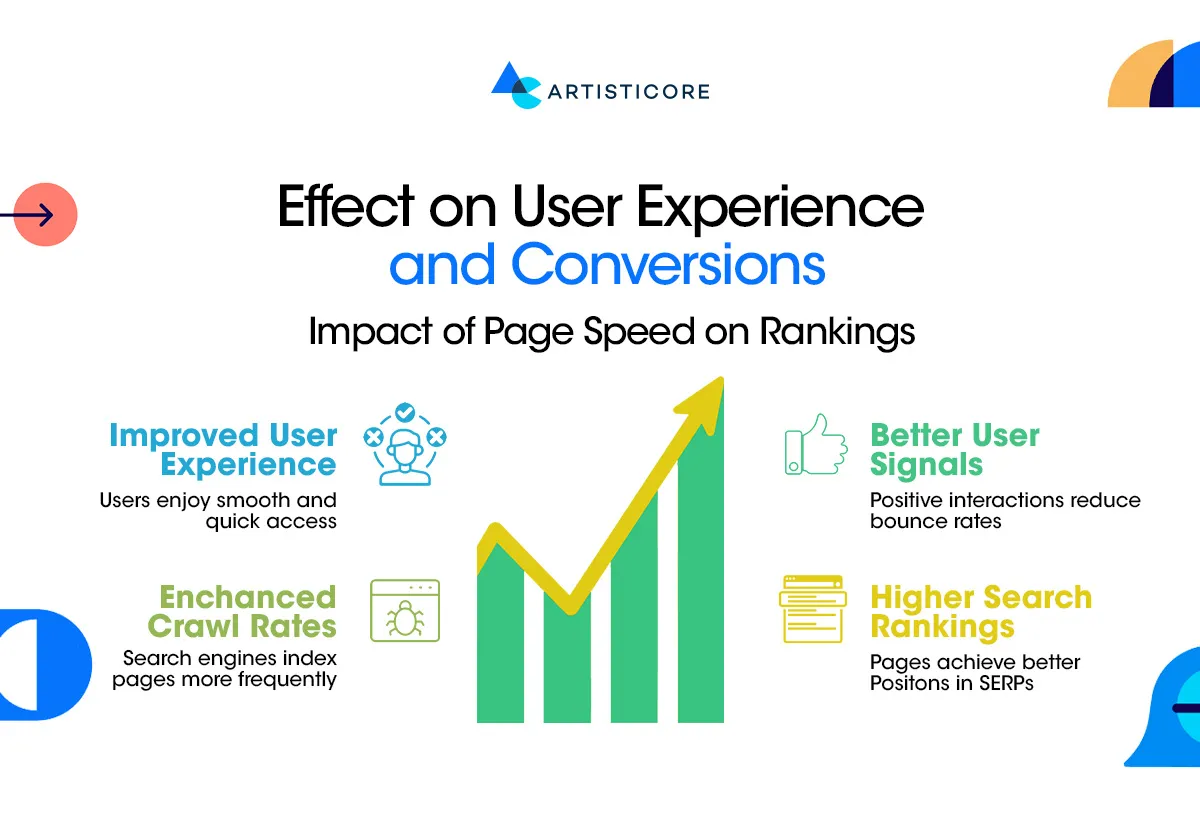
There are higher chances that your websites can easily frustrate visitors if you fail the website page load speed test. When it is taking too long to load a page, visitors are gone, and your bounce rate increases. It has been found that 64 percent of dissatisfied customers never revisit websites that are slow.
Moreover, 70% of customers claim that the speed of the page affects their purchases. A quick site provides a more positive user experience. Which means that such website retains visitors by making them browse more pages.
In this fast pace world, everyone wants to grow and compete. This can’t happen without an online presence and the presence needs to be optimized. Test website loading speed to get fast loading site which leads to increased conversion rate and ultimately a hiked business growth.
SEO and Web Site Loading Speed in 2025
Google prefers fast sites which means it is important to optimize page load time speed. To rank, you must pass web page loading speed test because slow sites rank lower on the search engine.
SEO is all about optimization and it tells you how to improve website loading speeding. There is LCP and FID which are core Web Vitals that help check website load speed at which users can see and be able to click content.
Quick sites do not only help you rank better but receive more traffic and are easy to locate. Checking website load time is even more important in this era where people browse through phone using mobile-first indexing. Essentially, to be listed in Google searches and attract new visitors, you have to make your site fast.
Important Metrics to Check Website Load Time
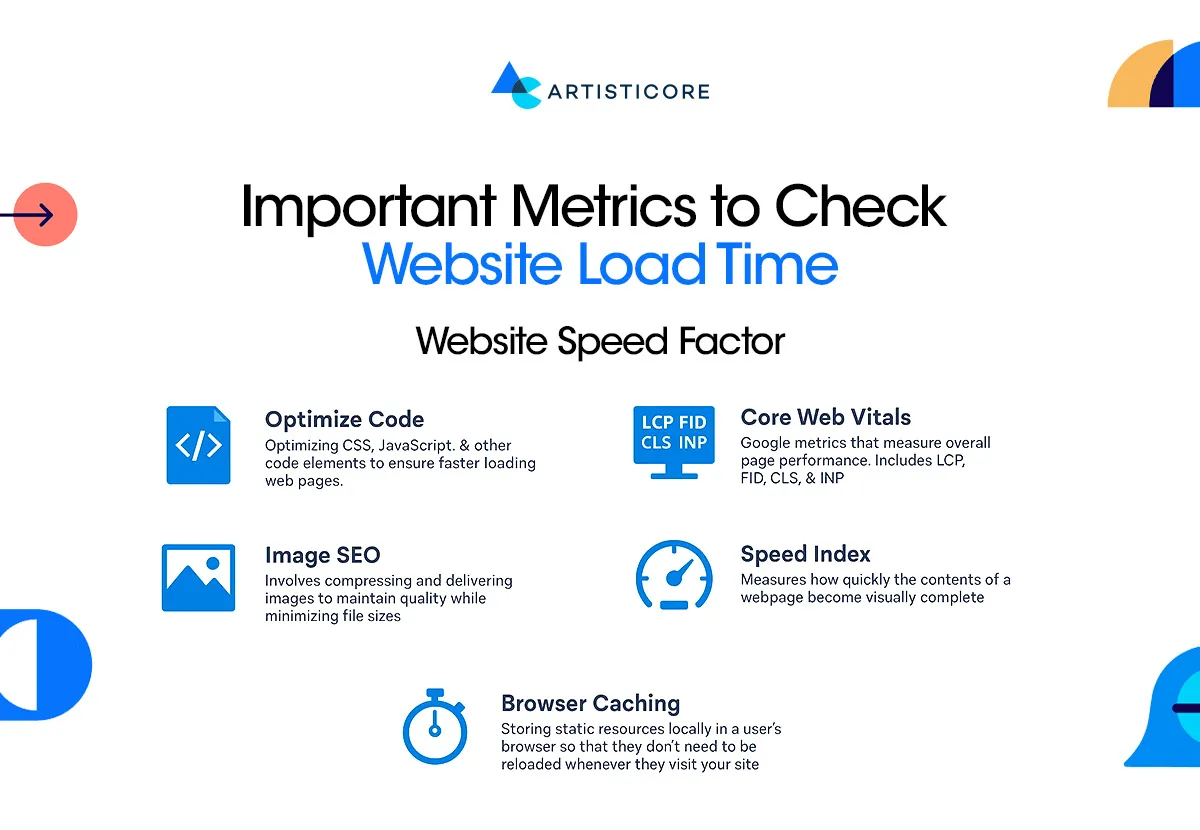
To understand how to get web pages to load faster, there are few metrices that are discussed below.
Time to First Byte (TTFB)
This measure indicates the duration of time your server requires to respond to a request when someone requests a page. A rapid TTFB indicates that the page loads fast and it is smooth. Sometimes, having a good design is not enough, you need to test page load times to see if provides a good experience or not.
Page Load Time (PLT)
It is the sum of time that your entire webpage will take to show up on the screen of a user. Research claim that 40% of the visitors abandon a page that takes over 3 seconds. Reduced load time will keep the user occupied and increase conversions.
Server Response Time (SRT)
The speed at which your server can respond to the browser. Slow server performance will slow down all pages even when the site has been optimized. It is possible to notice the difference when it comes to choosing reliable hosting.
First Contentful Paint (FCP)
As soon as the first visible text, image or an element is on the screen. Users can perceive this immediately hence a quicker FCP enhances the perceived speed. When the content loads fast, the pages become responsive.
Largest Contentful Paint (LCP)
Measures the time it takes to load the largest visual element such as a banner or main image. Quick LCP makes users stay consistent as they are able to view the main content within a short period. Google suggests that the LCP should be less than 2.5 seconds.
First Input Delay (FID)
Preload is the time taken before a page responds to a button or a link being clicked by the user. Reduced FID makes the web site look interactive and smooth. High FID may irritate the users particularly in a mobile device.
User Engagement Metrics
Incorporates bounce rate, session duration, and conversion rates. Quick websites make customers spend more time browsing the sites, thereby raising the probability of making sales or registering. Slow site will cause users to abandon before action taken is completed.
Round Trips
This is used to gauge the duration of time taken between requests of data to reach the server and returning to the server. The smaller or quicker round trip increases loading speeds. Server calls can be optimized to gain significant performance.
Wondering how to speed up web page loading times? Keep the above metrices in mind or
Website Speed Testing and Monitoring Tools

There are several tools through which we can check page load time. It makes it easier for developers and the clients themselves to track the speed at which the site loads. Each of them comes with the features of their own.
Some are free while some are paid. The paid ones provide with number of advanced features. With the frequent use of such tools, you can easily identify issues, resolve them, and maintain your site speedy.
BrowserStack SpeedLab
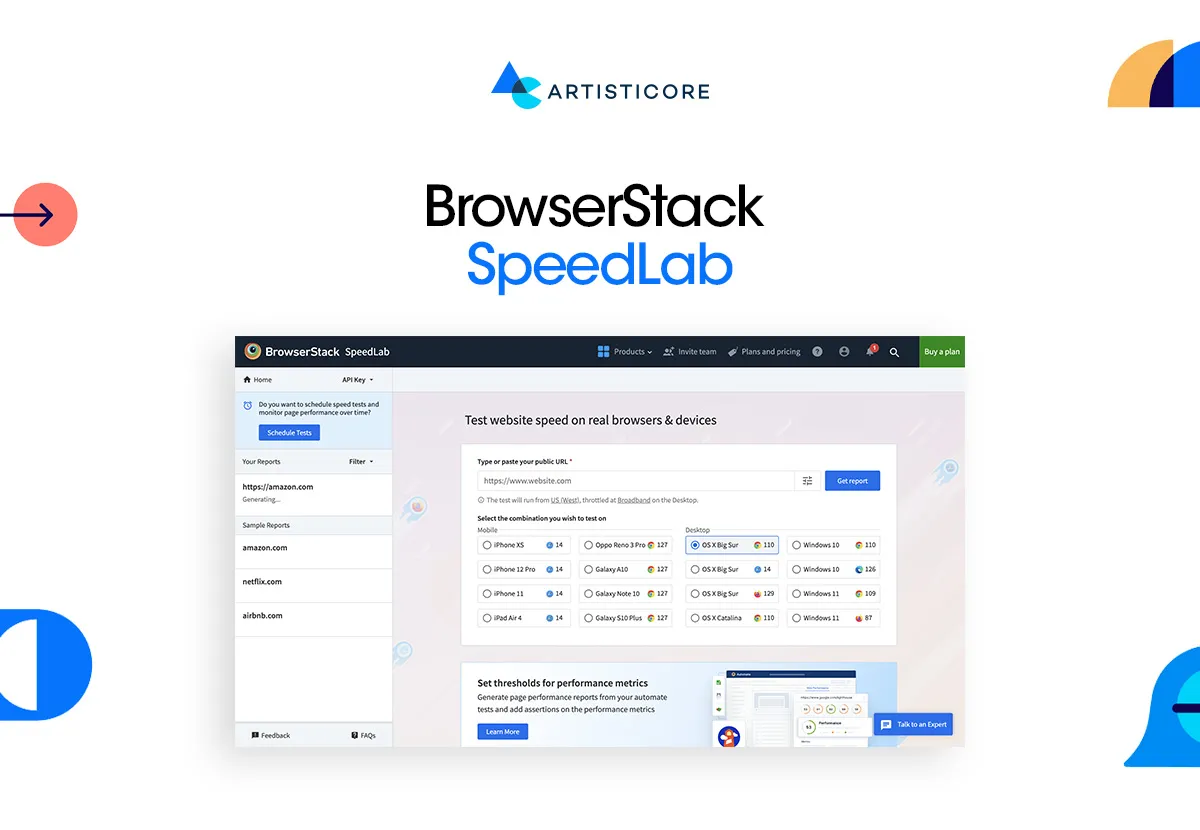
This one allows you to test your site on actual devices and browsers. The best thing about this is that it gives precise data on both mobile and desktop customers. You can easily track the issues visitors face in real time. This way, you can both witness what slows down and website and optimize it.
- Free: Yes, basic testing is free.
- Paid: Plans begin at US$29/month, including additional devices, browsers, test concurrency, and detailed performance data.
- Ideal when testing your site on actual devices in order to know how users feel about your site.
Google PageSpeed Insights
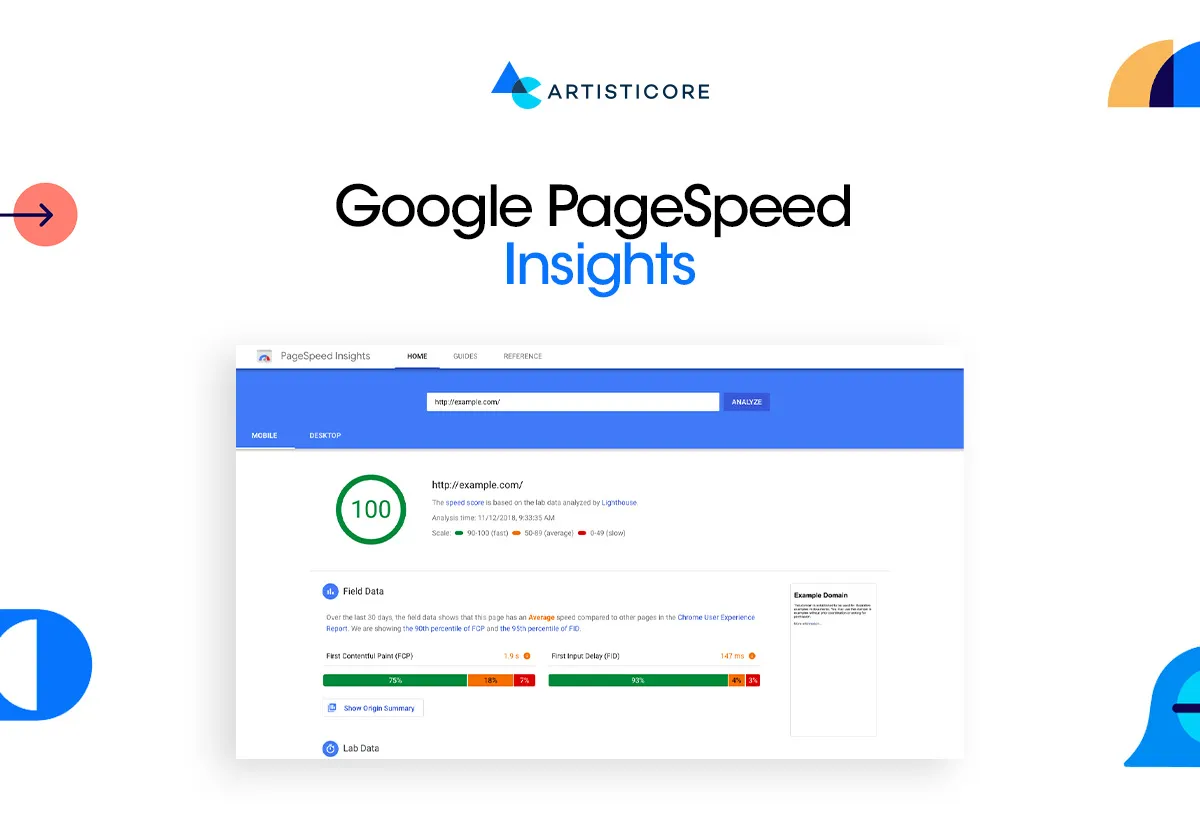
It is a Google-based tool that provides both desktop and mobile performance ratings. The tool gives recommendations to enhance images, code, and server response. It is user friendly and professional can easily use it.
- Free: Totally free to anyone.
- Paid: You have to pay to apply the API which helps you automate or repeat tests.
- It offers both laboratory data (simulated) and actual field data, to know what users are facing in the real world.
GTmetrix
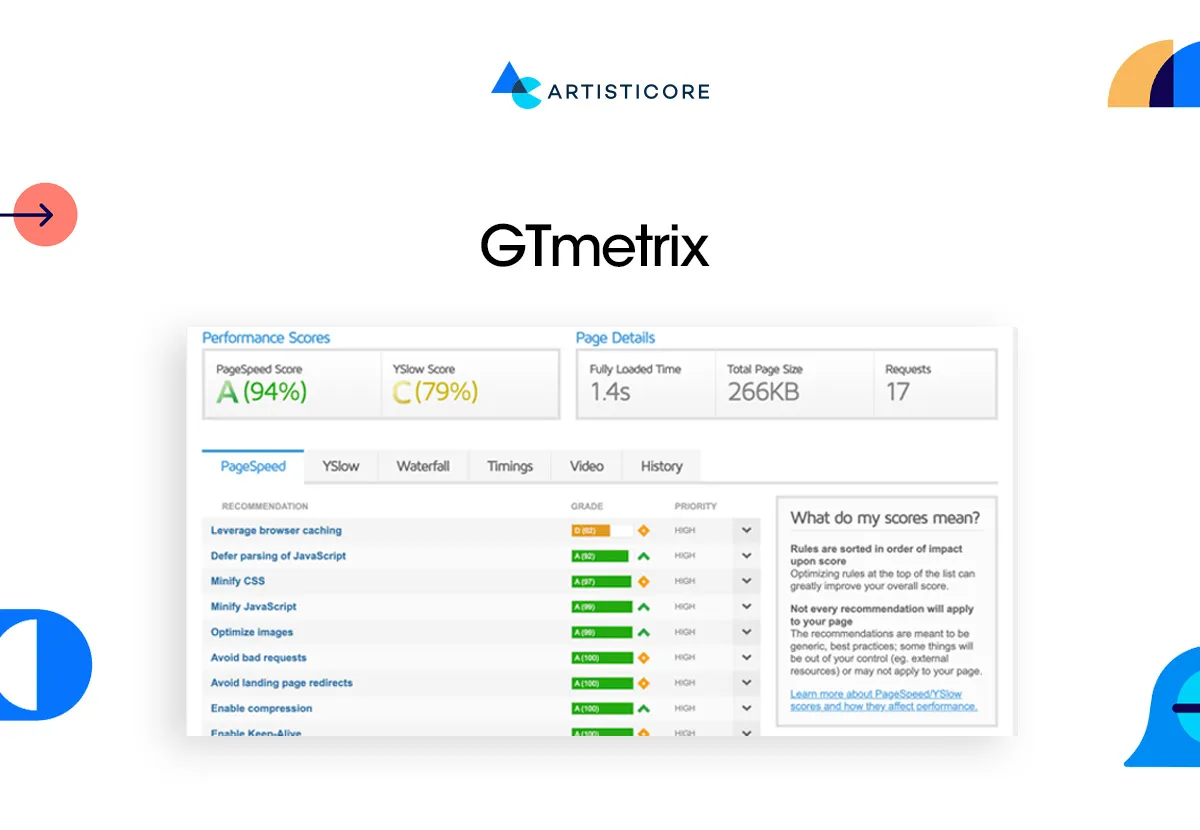
GTmetrix provides a comprehensive report with graphs that indicate what slows down your page. It provides improvement suggestions and measures of progress.
- Free: Yes, provides basic testing and saved reports.
- Paid: PRO plans begin at US$4.99/month and include mobile testing, additional locations, API access and longer history tracking.
- Why use it: It is great to use when you want to track website advancement and get detailed insights.
Pingdom
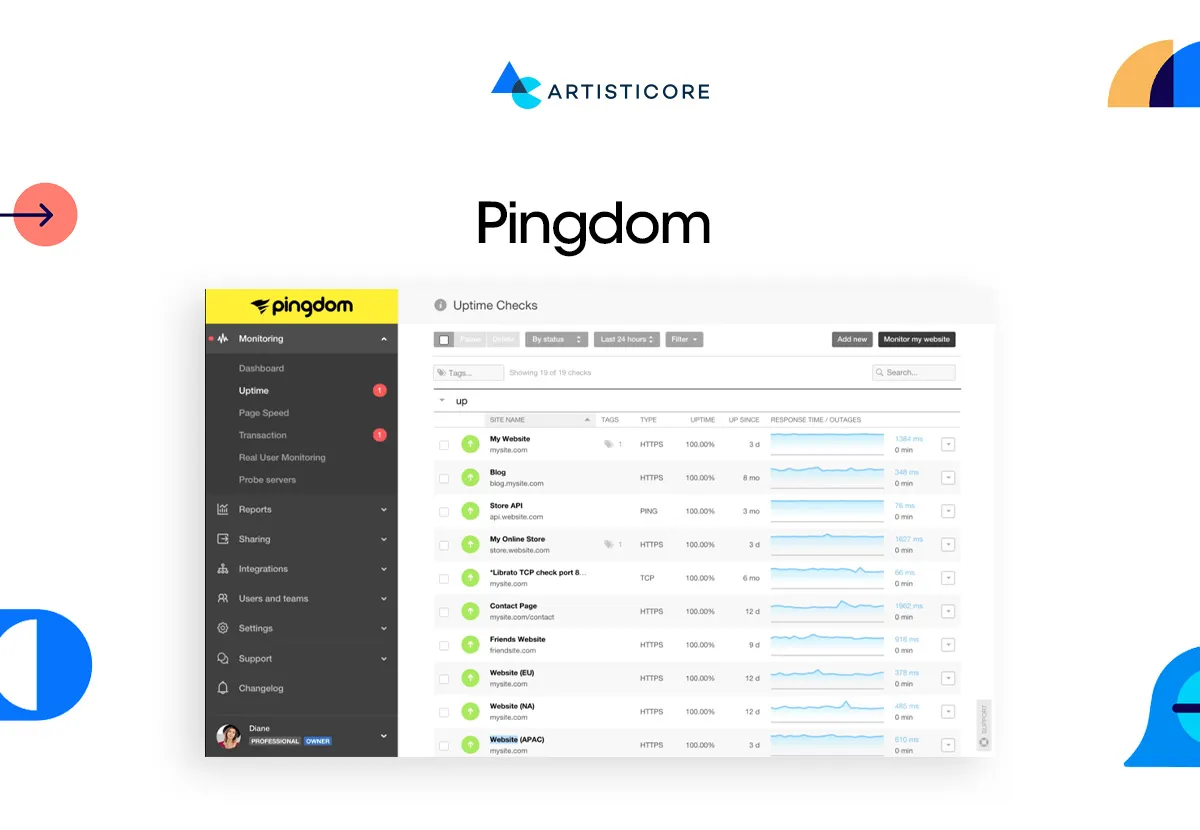
Pingdom is a straightforward utility to make a quick analysis of web speed. It provides performance grades, load time analysis, as well as allowing you to track trends over time.
- Free: Speed tests: 1 free speed test.
- Paid: The cost of plans begins with ~US$42/month of continuous monitoring, notifications, and test sites.
- It is the best to be used by the companies that need constant monitoring, and in case their site becomes slow.
WebPageTest
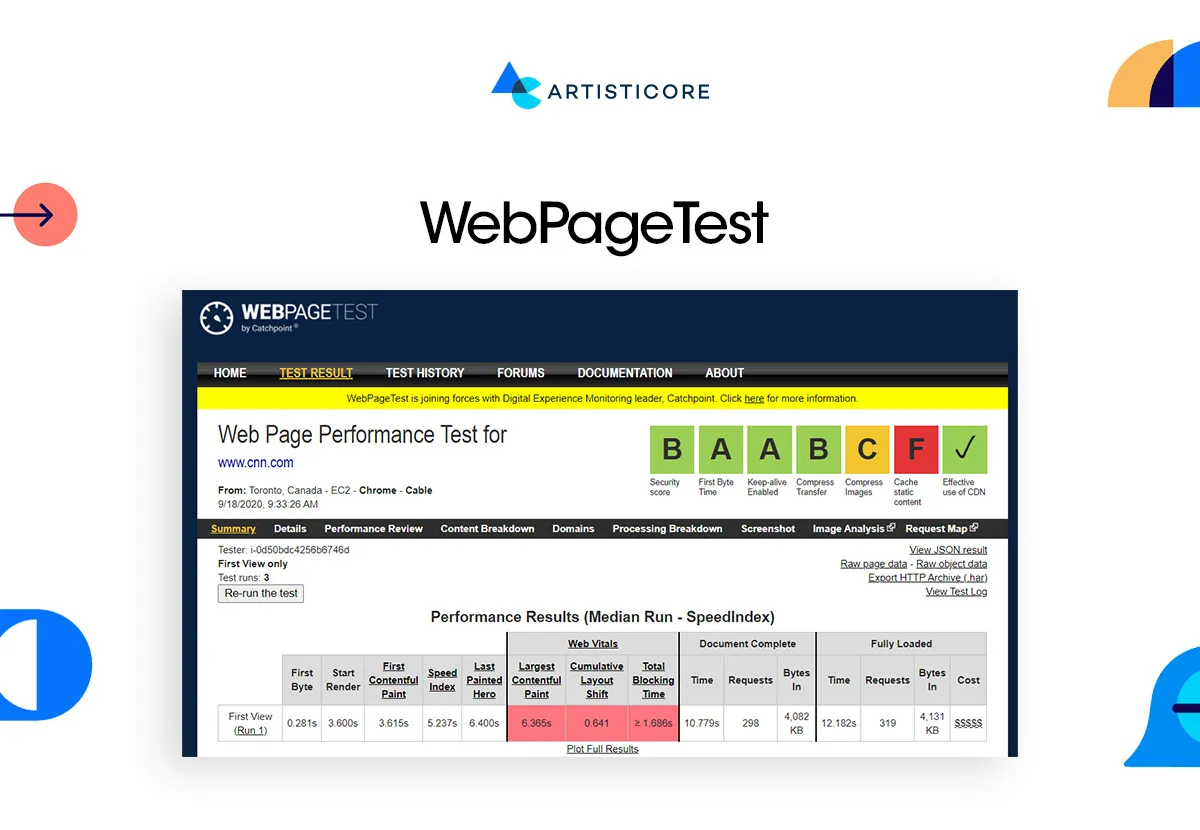
WebPageTest allows you to test the speed of websites in several locations, both desktop and mobile. It assists you in locating delays which are brought in by server location or network problems.
- Free: Free basic tests have restricted monthly run.
- Paid: Pro version (approximately US$180/year) will have more tests, premium locations, API access, and faster queues.
- It is useful to analyze geography-related issues with speed and test the speed of mobile networks.
Which Tool to Choose?
Google PageSpeed Insights or the free WebPageTest is enough to test it in case you want to test it once only.
BrowserStack SpeedLab can be used to test on real devices.
When it has to be checked frequently, Pingdom or GTmetrix PRO.
You should use WebPageTest Pro or GTmetrix PRO (api and additional options) in case you require numerous tests.
Image And Media Optimization to Maximize Speed
A website is usually slow because of images and other forms of media. Large, non-compressed photos increase the weight of the page, thus taking time to load and abandoning the page.
You can solve this issue in different ways. For example, you can reduce the size of the visuals, providing a clarity. Or, you can also use tools like WP Smush or Adobe Photoshop to compress your image file.
We have come across different formats which maintain the quality of images. These include AVIF and WebP takes less space than formats like PNG and etc. And yes, they provide better quality too.
Optimizing isn’t just images. It is also necessary to compress videos, GIFs, and animations and offer them in such new formats as MP4 or WebM. Smaller and improved files load at a higher rate, make the experience smoother and can increase sales.
Minimization Of Code and HTTP Requests
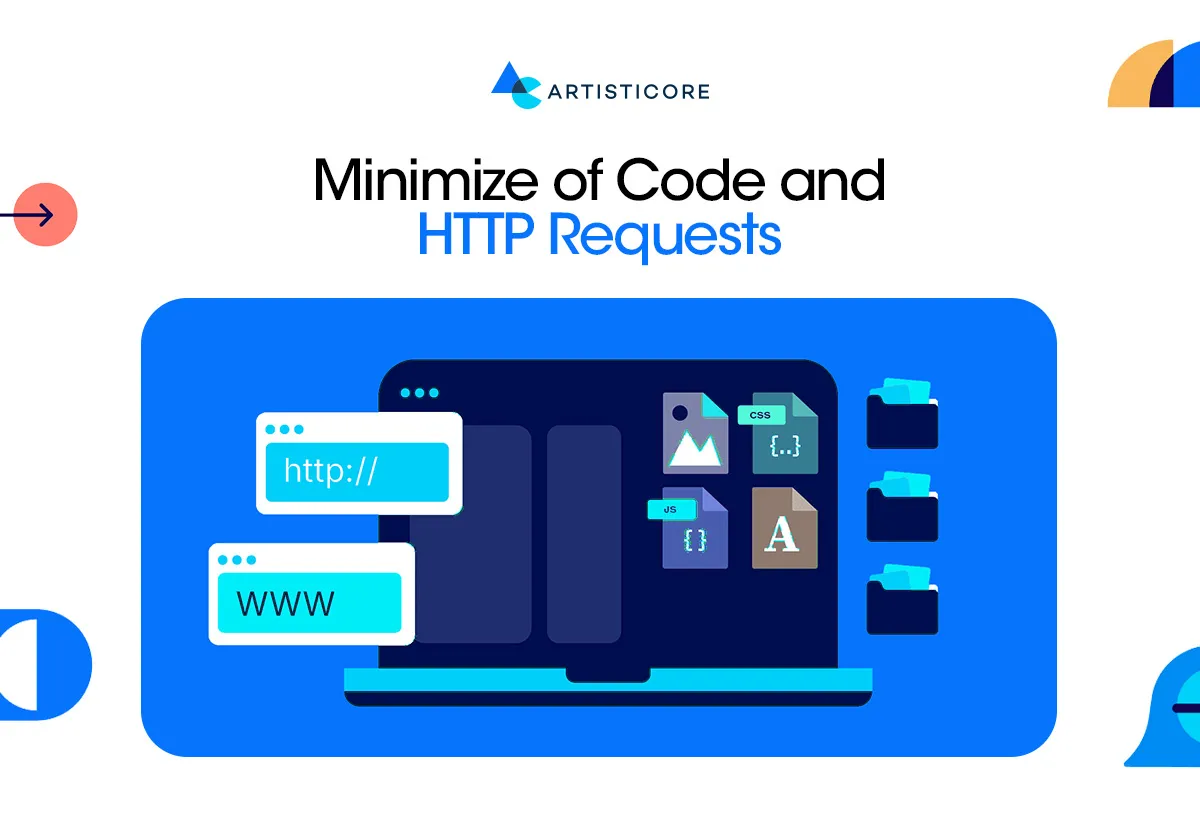
The code of your site can also affect website loading speed. Additional blank spaces, remarks, or blank lines have weight; thus, pages do not load as quick as usual.
Do you know that by using HTML, CSS, and JavaScript files, you can remove necessary elements, make file smaller and faster to download.
Combine multiple CSS or JS files into a single file to reduce HTTP requests. You can also accede scripts that are not required immediately such as tracking codes or even animations below the fold.
With compression such as gzip and Webpack, you can automatically minify and bundle your code. This is beneficial to the mobile users who have slow connections. Minifying is something that is a must-do in 2025 because of good website speed.
Hosting Solutions and Content Delivery Networks (CDN)
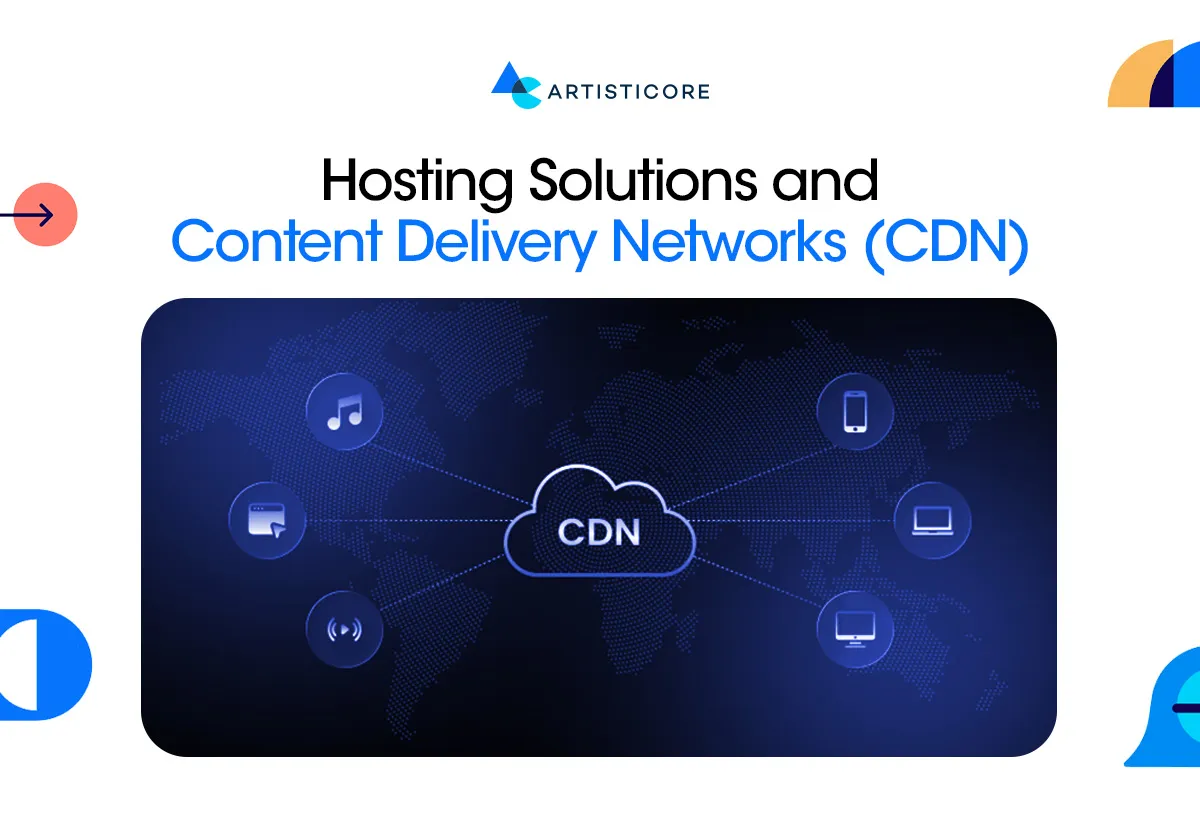
CDN stores versions of your site in numerous servers worldwide. Once a person visits, it loads the nearest server hence generating pages more quickly. Cloudflare, Amazon CloudFront and Akamai are the popular CDN services.
Good hosting matters too. Select high-speed and stable servers that are capable of supporting high traffic. Shared hosting may be inexpensive, but tends to slow your site down when a number of users access your site. Use managed hosting or cloud servers to speed up.
A CDN coupled with a good host makes your site fast, regardless of the location of your visitors. Quick sites are also more enjoyable to use and can assist in better positions on search engines.
Browser Caching and Server Response Enhancement
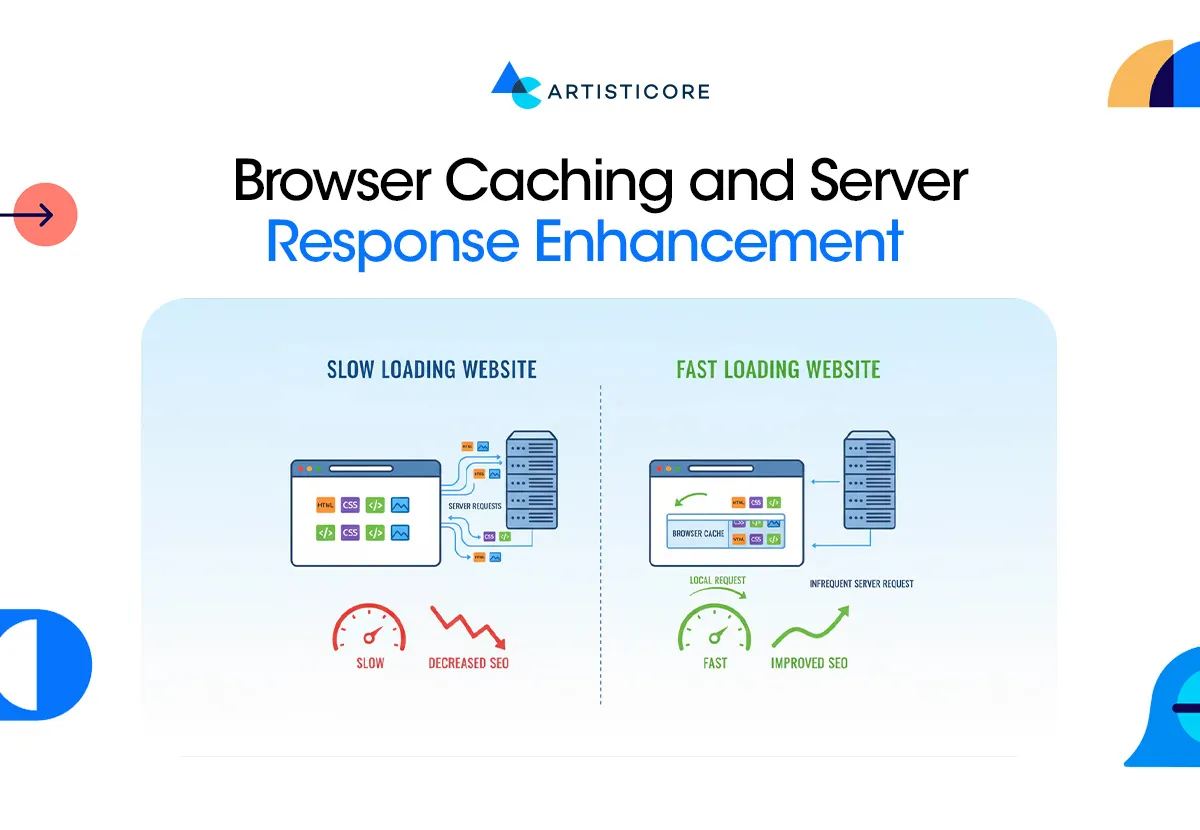
Browser caching allows other visitors back within the short time to make your site hot. It caches in an image, CSS and JS in their device hence providing faster loading of the page in the future.
Response time of the servers is also essential. A sluggish server causes the initial data byte to be received slowly and this irritates the user. Improve it by:
- Reducing idle database query.
- Shift to a faster server when there is high traffic.
- Use caching plug-ins like Wp Rocket or LiteSpeed Cache.
Even small increases in server speed can lead to faster pages, happier users, and better SEO. In 2025, server response repair is as significant as image compression or minifying code.
Minimize Redirects and 3rd-Party Scripts

Every redirect or massive third-party script slows down your site. There are lots of redirects, such as the one when a page changes position or URLs are outdated, which are counted as HTTP requests and cause a decrease in the speed of pages.
Load time is also increased by the third-party scripts, including pop-ups, tracking pixels or chat widgets. Trim down on useless scripts and replace them with lighter ones to increase speed particularly on mobile.
Continuous Optimization, Reporting and Monitoring
Speed isn’t a one‑time fix. The addition of new content, media or scripts slows down pages. Then you have to have periodic checks and reports to maintain performance.
SpeedLab by BrowserStack, Google PageSpeed Insights, GTmetrix, and Pingdom are the tools that monitor the speed in various devices. AI analytics have the capability of identifying slowdowns and suggesting remedies in real-time.
Continue optimization by condensing new images, updating plugins, eliminating any unnecessary scripts, and loading server speed. Keeping ahead of this keeps your site quick, easy to use, and at the top of the search list.
Monitor your website speed today with Artisticore
Impact of Website Load Speed on Business
Nowadays, every brand and business is concerned about how to make websites load faster. Well, it is also a valid query because website loading speed can either make or break your credibility.
With just a second delay, you can lose a customer knowingly or unknowingly. Website loading speed can harm or benefit your business. Every additional second decreases satisfaction by 16 percent and 64 percent of users abandon slow websites permanently. Delays slow down sales and ruin credibility.
Fast speed enhances SEO, retains visitors and increases sales. When pages can be loaded quickly, online stores experience higher check-outs. Speed is not a choice in 2025, but it is the key to remaining competitive, making users happy, and gaining trust.
Conclusion
The speed of loading your website is not only a technological issue, but it is also directly related to the experience of the user on the brand, duration of stay on your site, and action. Minor delays may irritate users, increase the bounces, and decrease conversions. Quick loading websites simplify the process of browsing, increase interest, and establish trust among your visitors.
You do not need to complicate the process of optimizing your site. Some basic measures such as image compression, code reduction, content delivery network and reducing redirects are enough to see the difference. Monitoring and updating ensure that your site is fast since the content and technology changes regularly. Slow site may be costly both in traffic and revenue in 2025. This makes it faster and responsive thus allowing your user a better experience thus motivating them to come again and keep up with the industry.
FAQs
The duration of time that a webpage requires to completely load all its content such as text, pictures as well as videos. Reduced load time enhances user experience, interaction and search engine position.
Quick websites retain traffic, reduce bounces, increase conversion and enhance position in search engines. The slow websites will drive away users and negatively affect sales.
Consider using BrowserStack SpeedLab, Google PageSpeed Insights, GTmetrix, Pingdom, or WebPageTest. These give measures and recommendations to work on.
Due to the absence of page load speed optimization, you can have a slow working website. Among the most common ones are large images, heavy videos, slow server performance, numerous HTTP requests, bloated code, old CMS, and lack of CDN.
You can do this by working on optimization of images, using a simpler code, deploying a CDN, browser caching and reducing redirects. Furthermore, go with a speed up server response, and continue monitoring performance.

Hafsa Hanif is a talented content writer at WebnHubs, specializing in topics such as graphic design, web design and development, logo design, and animation. With her deep understanding of design principles and creative processes, Hafsa crafts engaging, informative, and SEO-optimized content that resonates with readers. Her expertise in SEO ensures that her articles not only captivate audiences but also rank well on search engines, helping businesses boost their online presence through compelling design-focused narratives.
